-

-

-

-

-
複製到剪貼簿

- Step 1. Search for flatbed
- Step 2. Narrow results
- Step 3. Review load requirements
- Step 4. Open load details
- Step 5. Book
Finding the right flatbed freight starts with having the details you need up front. Navisphere® Carrier provides more visibility into load requirements, including tarp size, over-dimensional and heavy haul indicators, item dimensions, and loading type, helping you quickly identify loads that fit your equipment and operation.
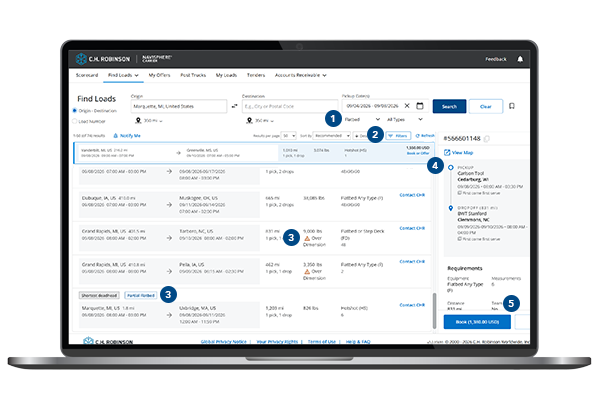
Step 1. Search for flatbed loads
From Find Loads, enter your preferred search criteria, including:
- Origin and/or destination
- Pickup date(s)
- Equipment type
You can search for all flatbed freight or select specific flatbed equipment types based on the loads you’re looking to haul. If you regularly search the same lanes or equipment types, save your search to quickly find matching opportunities in the future.
Tip: If you’re open to multiple trailer types, you can search across several equipment types at once to broaden your results and uncover additional freight opportunities.
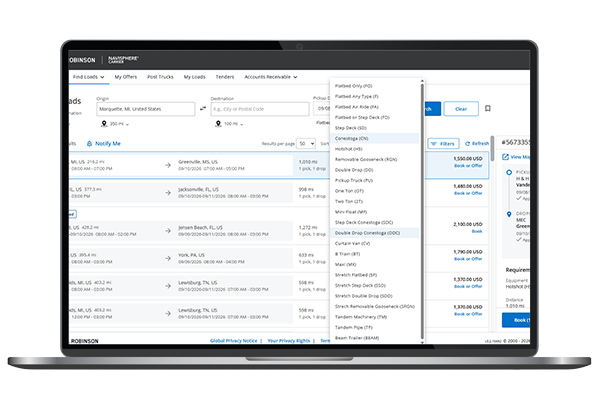
*Only available on Navisphere Carrier web.
Step 2. Narrow your results with filters
Once you’ve run your search, use filters to quickly find loads that match your equipment and capabilities.
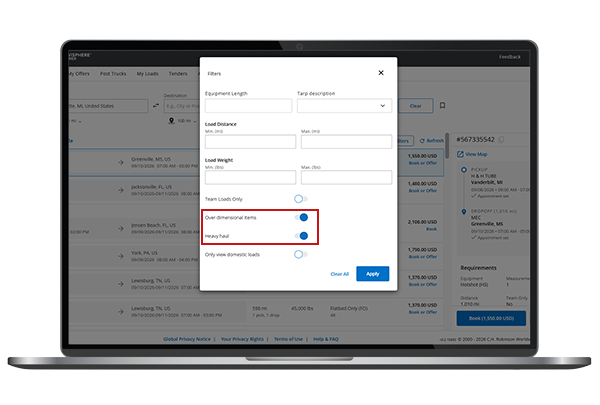
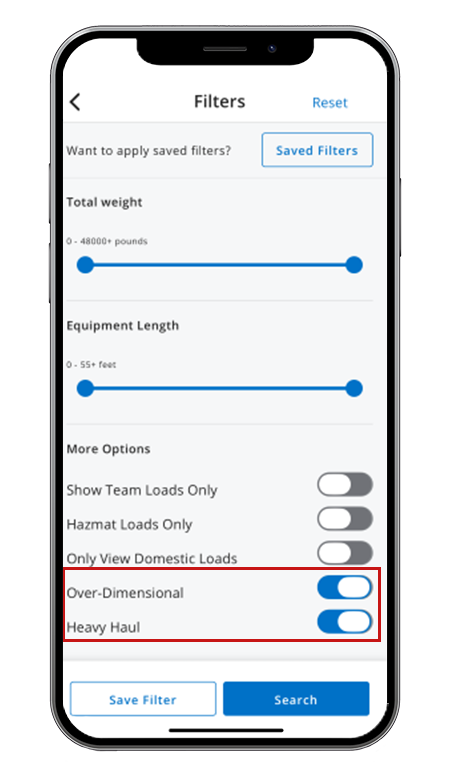
Filter by over-dimensional and heavy haul
Need specialized freight? Use the over-dimensional and heavy haul filters to display only the loads that fit your operation. These filters make it easier to focus on freight requiring permits, specialized equipment, or additional handling.
Desktop view
Mobile view
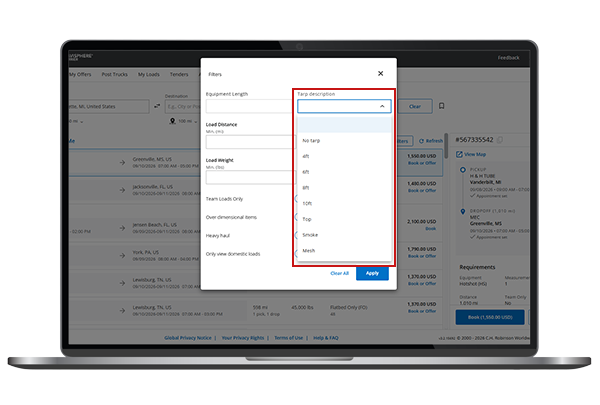
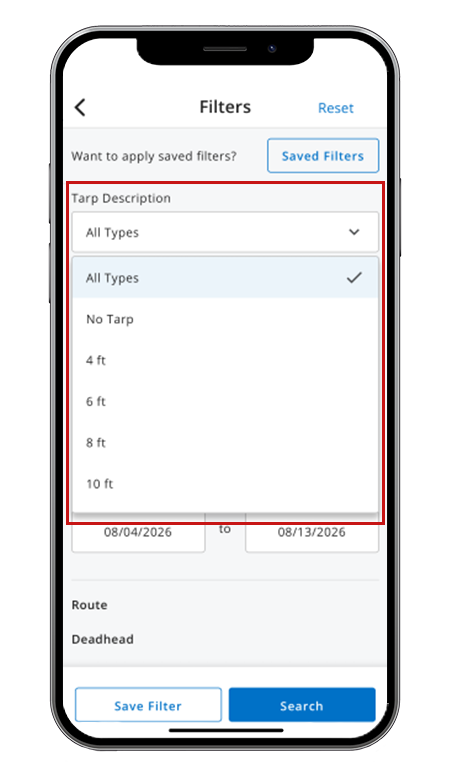
Filter by tarp size
You can also filter loads by tarp requirements to ensure a load matches the tarps you have available.
Available tarp options include:
- No tarp
- 4 ft.
- 6 ft.
- 8 ft.
- Top
- Smoke
- Mesh
When filtering by tarp size, larger tarps will return loads requiring that tarp size, smaller tarp sizes, and applicable no-tarp loads. For example, selecting a 8 ft. tarp will show loads requiring 8 ft., 6 ft., 4 ft., or no tarp.
Desktop view
Mobile view
Step 3. Review load requirements
Before selecting a load, review key information directly on the load card to determine if the load is a good fit for your operation.
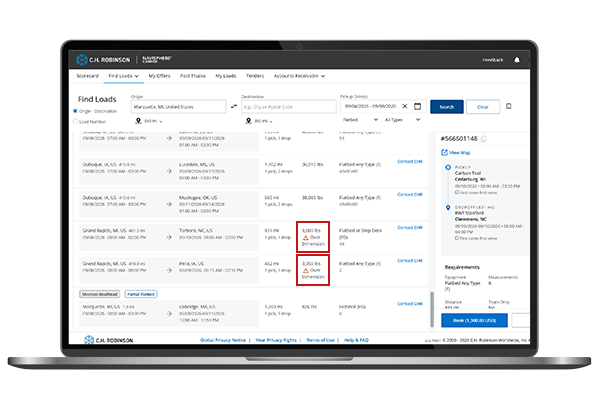
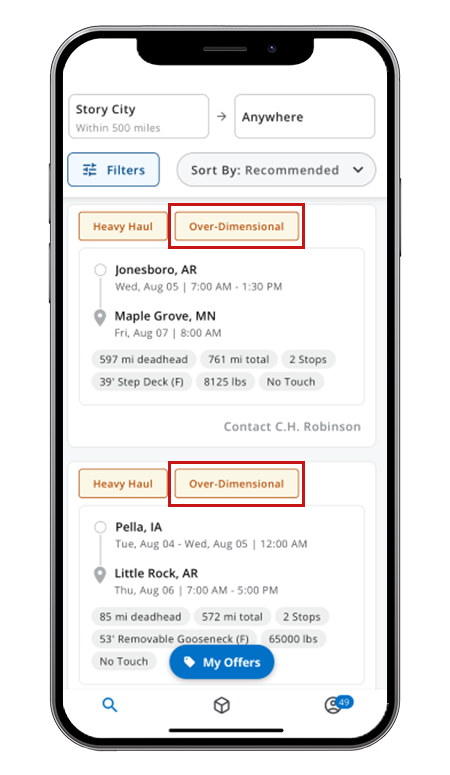
Identify over-dimensional and heavy haul freight at a glance
Loads that are classified as over-dimensional or heavy haul are clearly labeled, making it easier to distinguish standard flatbed loads from freight requiring permits or specialized handling.
Desktop view
Mobile view
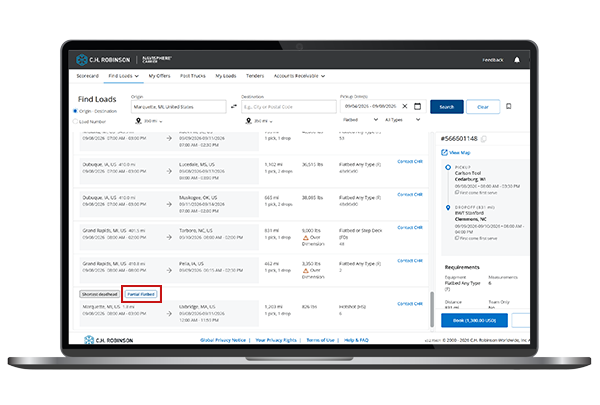
Spot flatbed partial loads and maximize flexibility
Flatbed Partial loads are clearly labeled*, making it easy to identify freight that can be consolidated with other shipments. Unlike standard flatbed loads that move as dedicated or exclusive-use shipments, partial loads offer greater flexibility by allowing multiple pickups and deliveries, helping you optimize capacity and keep you moving.
Step 4. Open load details for additional information
Select any load to open the details panel and review important load-specific requirements before booking.
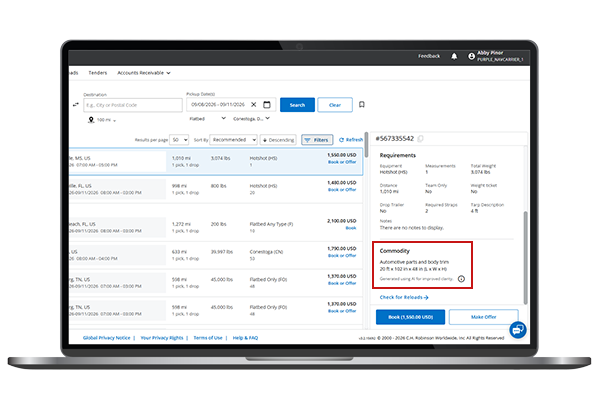
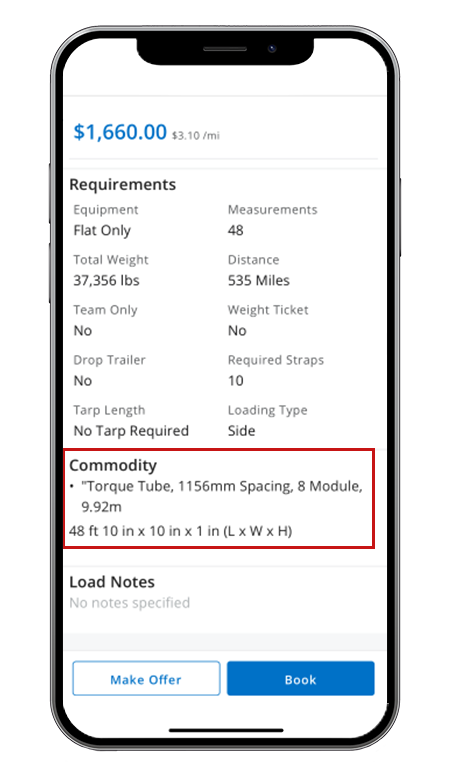
Review item dimensions
Flatbed freight often requires careful planning around securement and tarping. Load details include item-level dimensions, allowing you to quickly view length, width, and height. This helps you better understand what you're hauling and prepare the appropriate number of straps, chains, and tarps before booking a load.
Desktop view
Mobile view
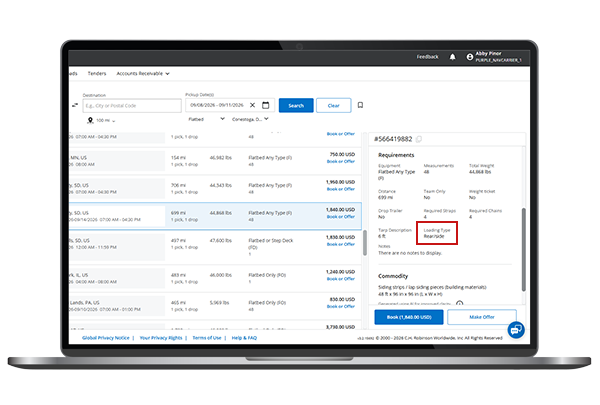
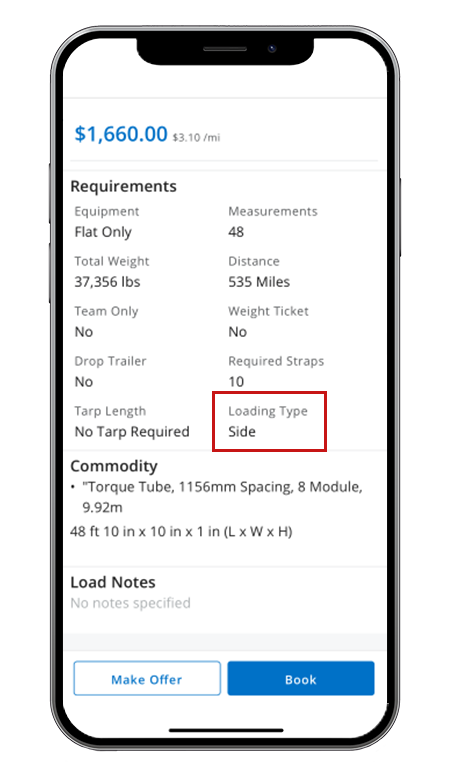
Review loading type
Load details also display the required loading type: side load, rear load, front load, crane load, etc., helping you understand what to expect at pickup and delivery locations. Knowing the loading method in advance can help reduce surprises and ensure the load fits your equipment and operating requirements.
Desktop view
Mobile view
Step 5. Book or make an offer
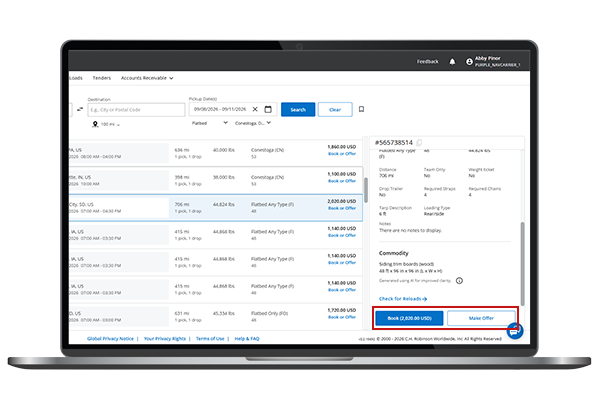
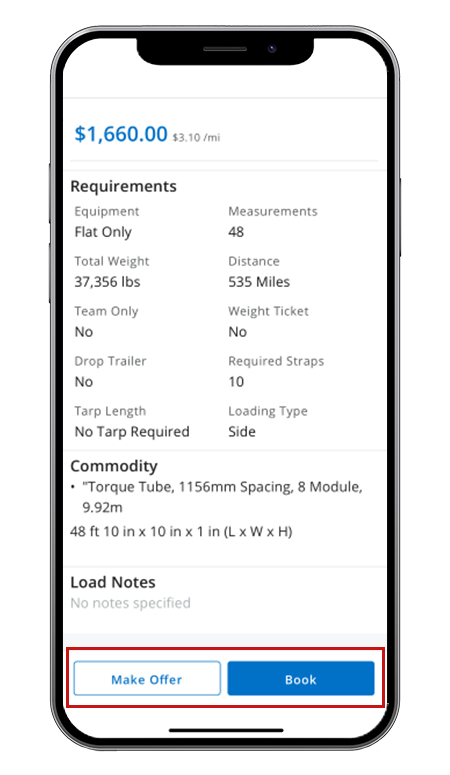
When you've found a load that fits your equipment, route, and operational requirements, select:
- Book now to secure the load at the posted rate, or
- Make offer to submit your preferred rate for consideration
Desktop view
Mobile view
- Step 1. Search for flatbed
- Step 2. Narrow results
- Step 3. Review load requirements
- Step 4. Open load details
- Step 5. Book