-

-

-

-

-
Copiez dans le presse-papiers

- Search for loads
- Save your search
- Open saved searches
- Review matching loads
- Remove a saved search
1. Search for loads
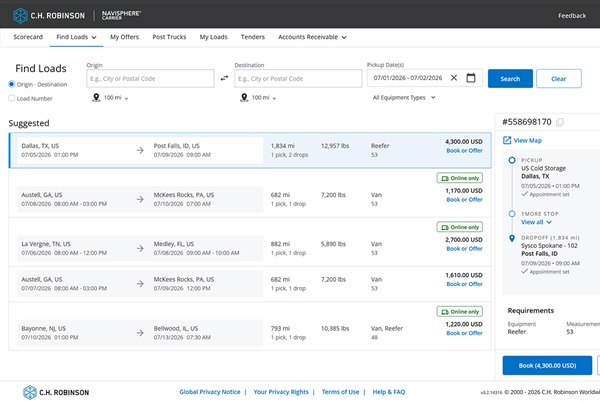
Saving your search helps you quickly find loads that match your preferences in the future. Start by searching for loads using your preferred criteria.
2. Save your search
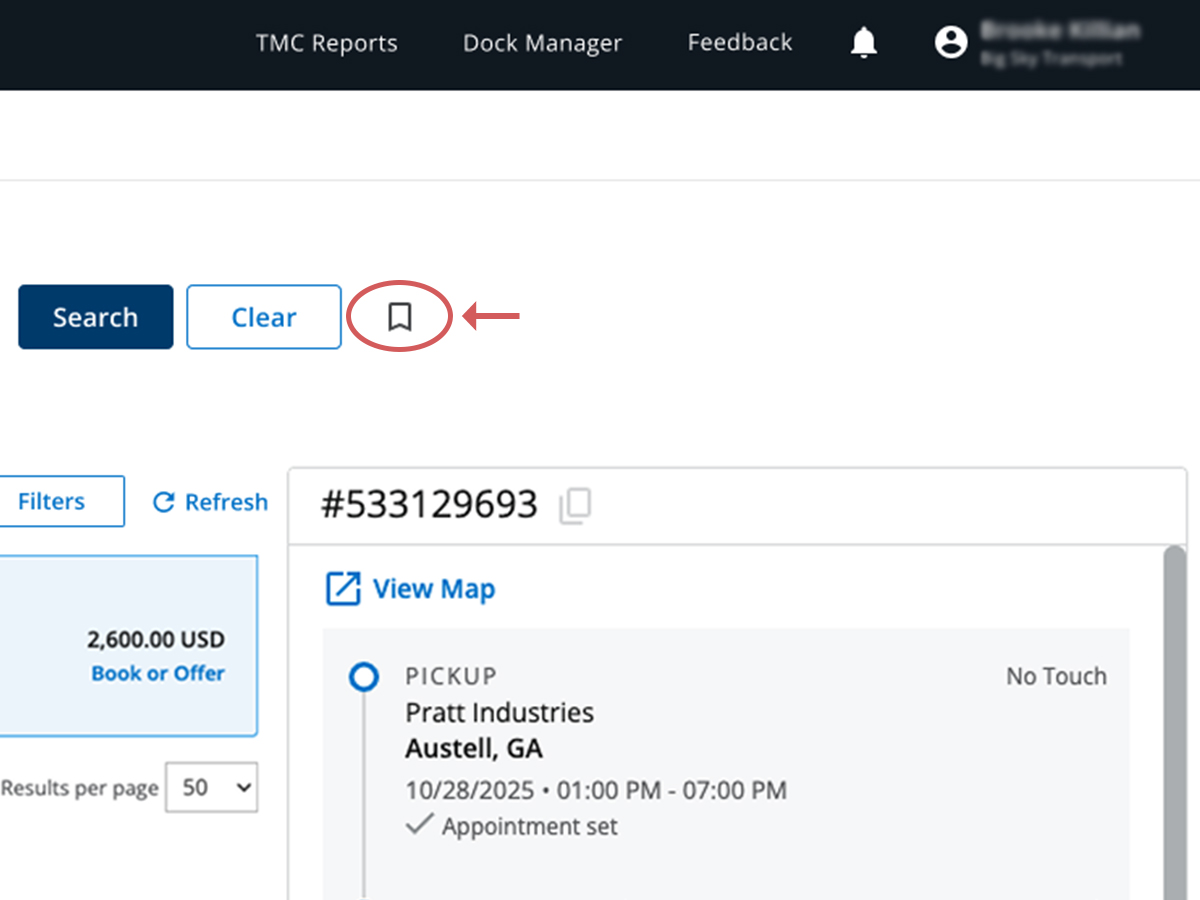
Once your search results appear, click the Save Search icon to save your search criteria.
3. Open saved searches
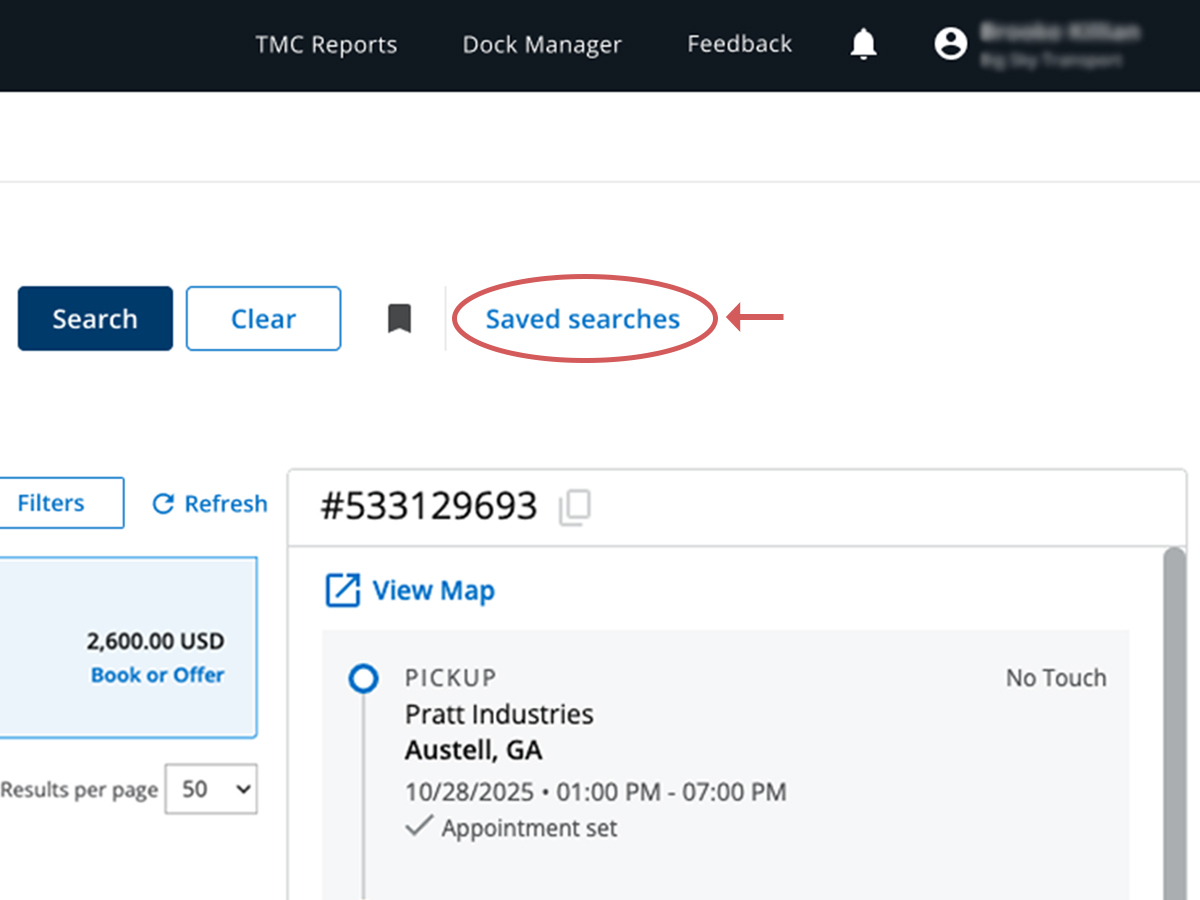
Select Saved Searches to view and manage the searches you’ve saved. You can save up to 10 searches.
4. Review matching loads
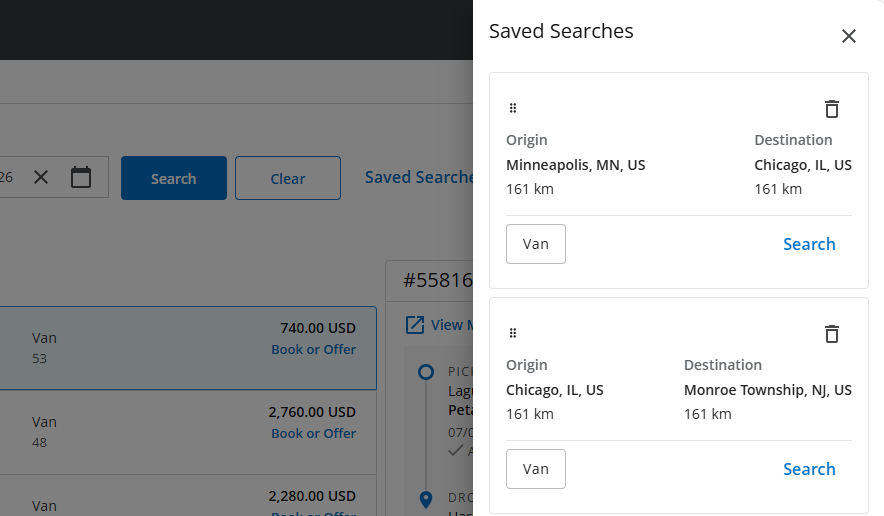
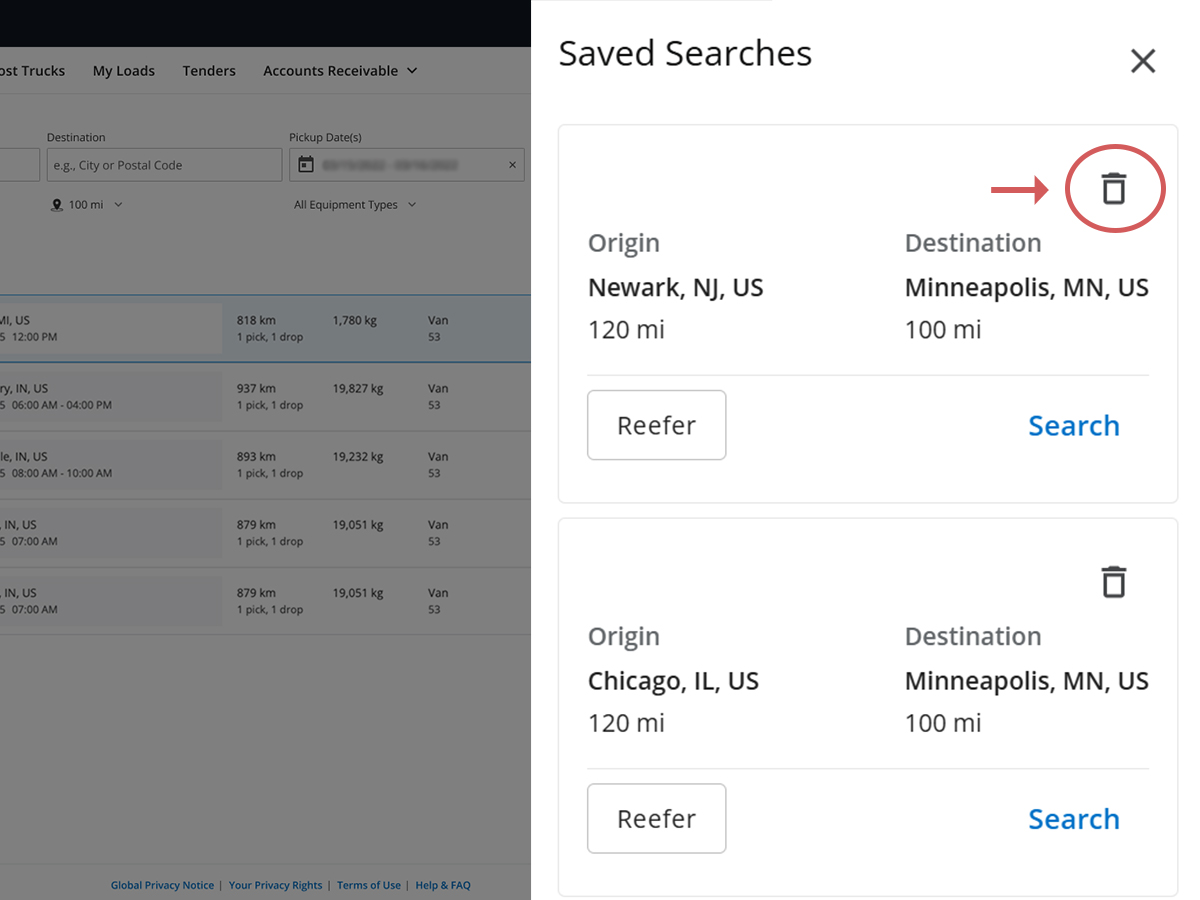
Within Saved Searches, you’ll see:
- Available loads for the next few days
- Origin and destination locations
- Deadhead distances
- Equipment type requirements
Select a saved search to instantly view matching loads.
5. Remove a saved search
If you no longer need a saved search, click the trash can icon next to the saved search to remove it from your list.
Sur cette page
- Search for loads
- Save your search
- Open saved searches
- Review matching loads
- Remove a saved search